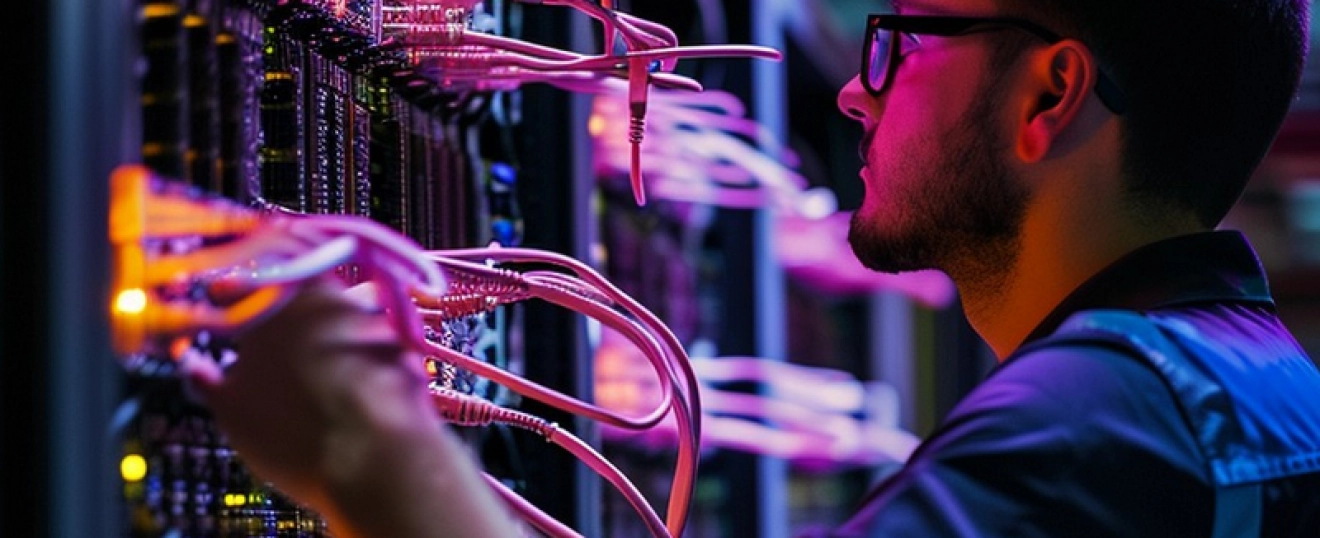

While delaying technology upgrades may seem like a way to save money, aging systems often lead to increased downtime, security risks, lower productivity, and higher long-term costs for both businesses and homeowners.
Every business reaches a point where technology decisions become a balancing act between cost, performance, and necessity. When budgets are tight or existing equipment appears to be functioning adequately, it's tempting to postpone upgrades for another year. On the surface, delaying a server replacement, network refresh, computer upgrade, or wireless infrastructure improvement can seem like a smart financial decision. Unfortunately, the true costs of outdated technology often remain hidden until they begin affecting daily operations.
One of the most common consequences of aging technology is reduced productivity. Computers that take longer to start, applications that respond slowly, and networks that struggle under modern workloads can cost employees valuable time throughout the day. While a few minutes here and there may seem insignificant, those delays multiply across an entire workforce over weeks, months, and years. The gradual nature of these performance issues makes them easy to overlook, but their impact on efficiency can be substantial.
Downtime presents another significant challenge. Technology components become less reliable as they age. Hard drives fail, power supplies wear out, networking equipment reaches the limits of its capabilities, and unsupported software becomes increasingly difficult to maintain. Older systems often continue operating until they suddenly don't. When critical infrastructure fails unexpectedly, businesses may face emergency repair costs, operational disruptions, missed deadlines, and frustrated customers.
Cybersecurity risks increase as technology ages as well. Manufacturers eventually stop releasing security updates for older operating systems, software applications, and network devices. Once support ends, newly discovered vulnerabilities may remain unpatched, leaving organizations exposed to threats that could have otherwise been mitigated. Cybersecurity is not simply about installing security software. It also requires maintaining infrastructure that can support modern security standards and protections.
Networking equipment is often one of the most overlooked areas of technology planning. Many businesses continue using network hardware long after their operational requirements have changed. Additional employees, cloud services, video conferencing platforms, security cameras, access control systems, and connected devices all place increased demands on the network. Equipment that performed adequately several years ago may struggle to support today's workloads.
Wireless networking presents a similar challenge. Businesses frequently blame internet providers when performance issues arise, only to discover that the underlying wireless infrastructure was never designed for current demands. Outdated access points, inadequate coverage, increased device density, and poor network design often create bottlenecks that affect employee productivity and customer experiences. Modern business-class solutions such as Ubiquiti UniFi can provide better visibility, scalability, security, and performance while supporting future growth.
The hidden costs of delayed upgrades are not limited to businesses. Homeowners experience many of the same frustrations. As smart home devices, streaming services, security cameras, gaming systems, and remote work applications become more common, home networks face growing demands. Many residential technology issues stem not from internet service limitations but from outdated networking equipment, poor wireless coverage, or infrastructure that was never designed for today's connected lifestyles.
Compatibility issues often become another warning sign. Software vendors continuously improve their products and introduce new features, but those improvements frequently require newer hardware and operating systems. Businesses that postpone upgrades may discover they can no longer take advantage of productivity enhancements, security improvements, or cloud-based capabilities because their infrastructure cannot support them.
There is also a strategic cost to delaying technology improvements. Organizations that spend their time responding to technology problems often have fewer opportunities to focus on growth, innovation, customer service, and operational improvement. Technology should help move a business forward. When aging infrastructure creates ongoing challenges, leadership teams can become trapped in a cycle of managing problems rather than pursuing opportunities.
This does not mean every new technology trend requires immediate investment. Effective technology planning is about making thoughtful decisions based on business objectives, risk tolerance, operational needs, and anticipated growth. The goal is not to replace technology simply because it is old. The goal is to identify when infrastructure is beginning to limit performance, increase risk, or create unnecessary costs.
A technology roadmap plays an important role in this process. By understanding equipment lifecycles, future requirements, cybersecurity priorities, and growth plans, organizations can make strategic upgrade decisions rather than emergency purchases. Planned improvements are typically less disruptive, easier to budget for, and more closely aligned with business goals.
At Iron Beacon Technologies, we believe technology upgrades should be driven by purpose rather than panic. Whether evaluating aging computers, network infrastructure, cybersecurity tools, wireless systems, or business applications, thoughtful planning helps organizations reduce risk, improve reliability, and maximize the value of their technology investments. Waiting may seem less expensive today, but in many cases, the hidden costs of delay are far greater than the cost of proactive improvement.
We proudly serve Waxahachie, Midlothian, Maypearl, Red Oak, Ovilla, Ennis, Ferris, Cedar Hill, Duncanville, DeSoto, Mansfield, Grand Prairie, Arlington, Oak Cliff, Bishop Arts District, Downtown Dallas, Uptown Dallas, Fort Worth, Burleson, Venus, Alvarado, Granbury, Hillsboro, Stephenville, Glen Rose, Foreston, Italy, Whitney, Hamilton, Dublin, Cleburne, Weatherford, and surrounding North Texas communities.
Similar Articles


The Iron Beacon Team